

GROUPIO
The collaborative living system.
Expenses, recurring tasks, AI receipt scanning, dashboards and shared organization — all in one place.
AI-powered receipt scanning.
Point your camera at any receipt. Groupio extracts items, prices and totals — then turns them into shared expenses, split between the right people automatically.
- Automatic OCR & text extraction
- Item-by-item line parsing
- Auto-generated expenses
- Smart shared cost splitting
OpenAI mode
Vision model reads the image directly. Best accuracy across fonts, layouts and lighting.
- True image understanding
- Robust with noisy photos
- You pay your own API usage
Cerebras mode (free)
No image understanding. Tesseract performs the OCR, then a fast LLM structures the result.
- Use good, natural lighting
- Flatten wrinkled receipts
- Avoid strong colored backgrounds
- Higher quality photo = better extraction
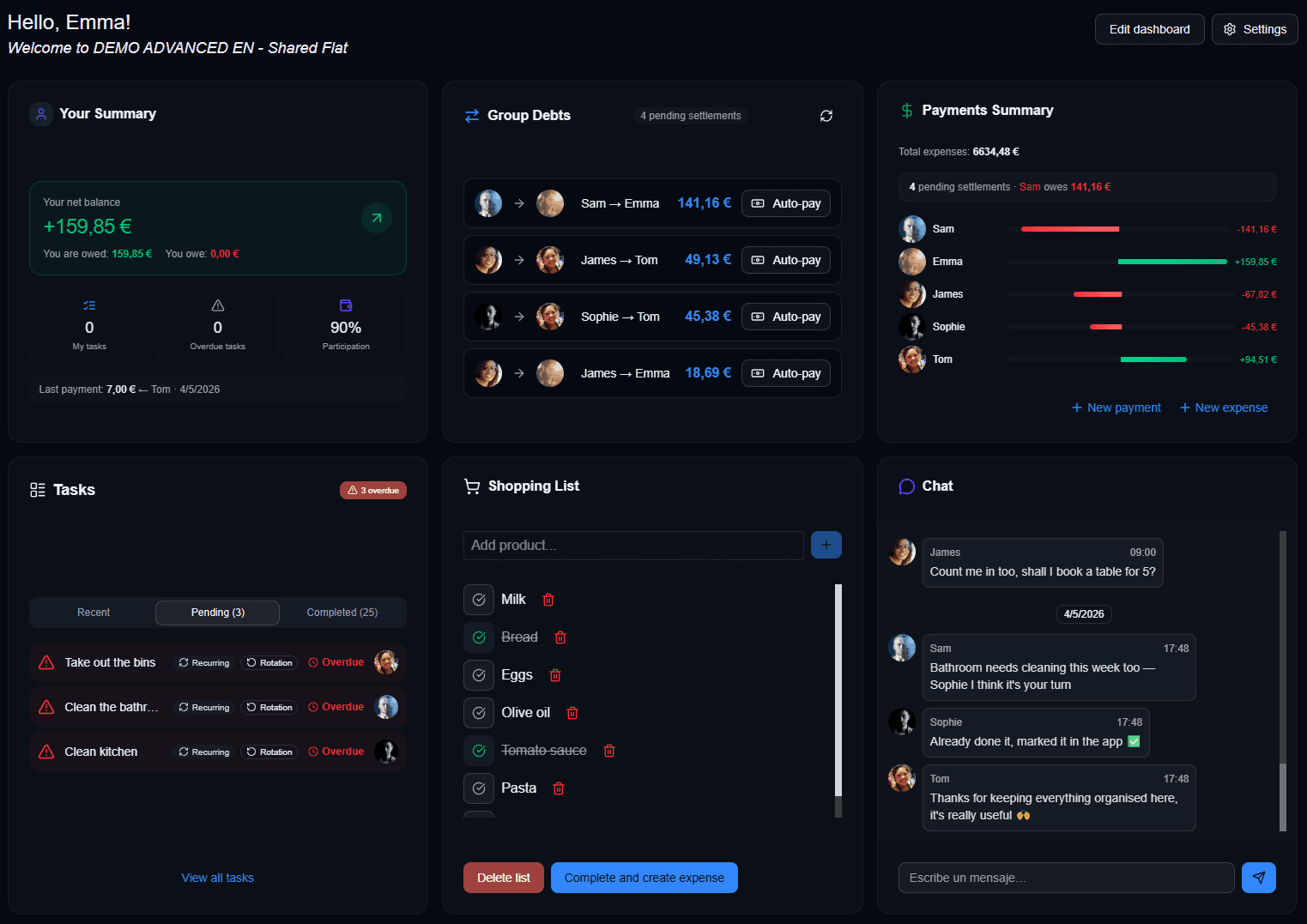
Your control center.
A fully customizable dashboard. Drag widgets, pick the charts you actually need, and design a personal analytics surface for your shared life.
- Draggable, resizable widgets
- Custom charts & KPIs
- Personalized expense insights
- Modular layout that scales with you
Smart, recurring, shared.
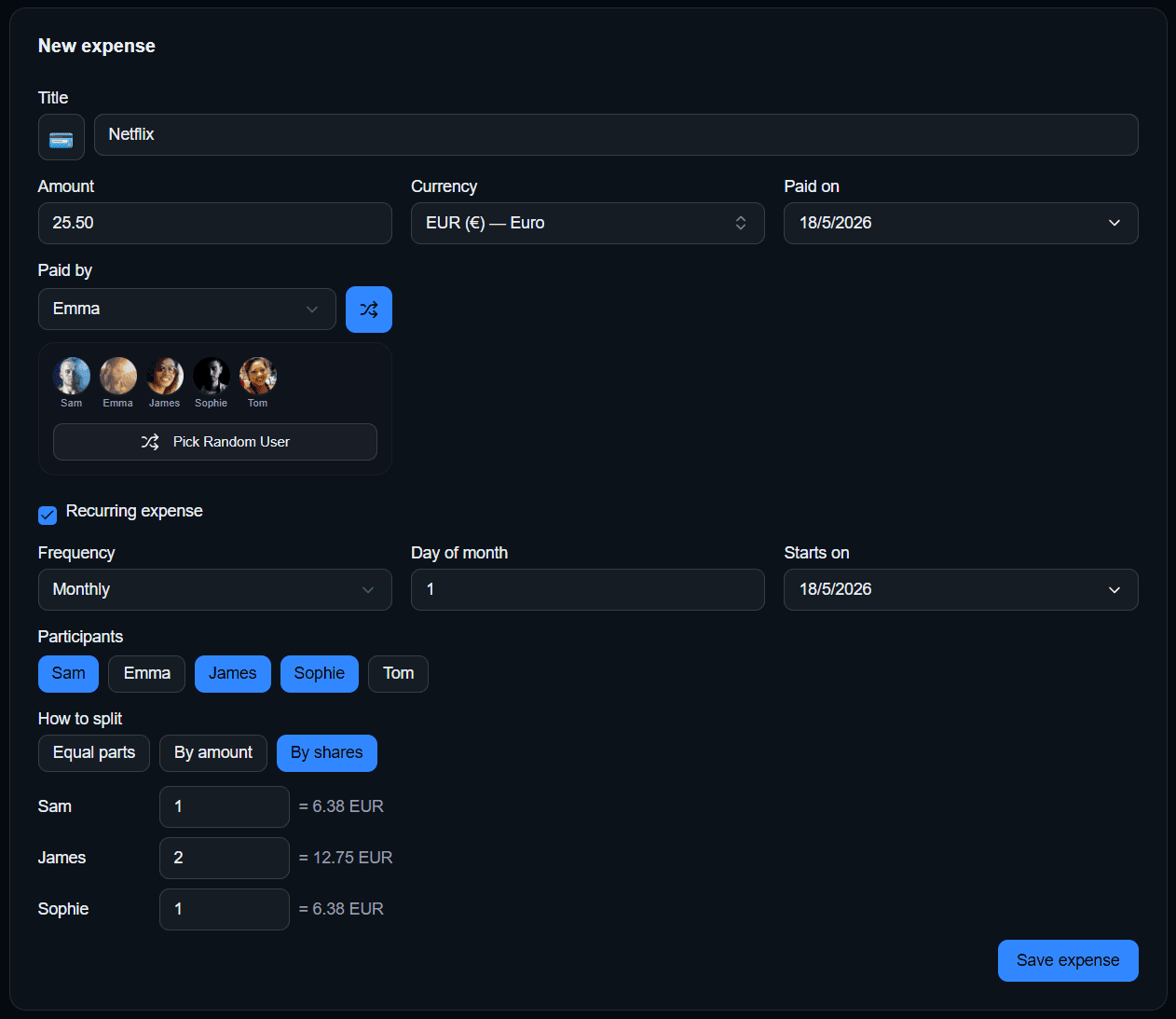
Every shared cost — captured once, automated forever. Add a recurring Netflix subscription, a monthly rent share, or a one-off dinner — Groupio handles the math, the splits and the reminders.
Recurring expenses regenerate on schedule. Everyone sees the same ledger. No spreadsheets, no group chats, no chasing.
Shared living without chaos.
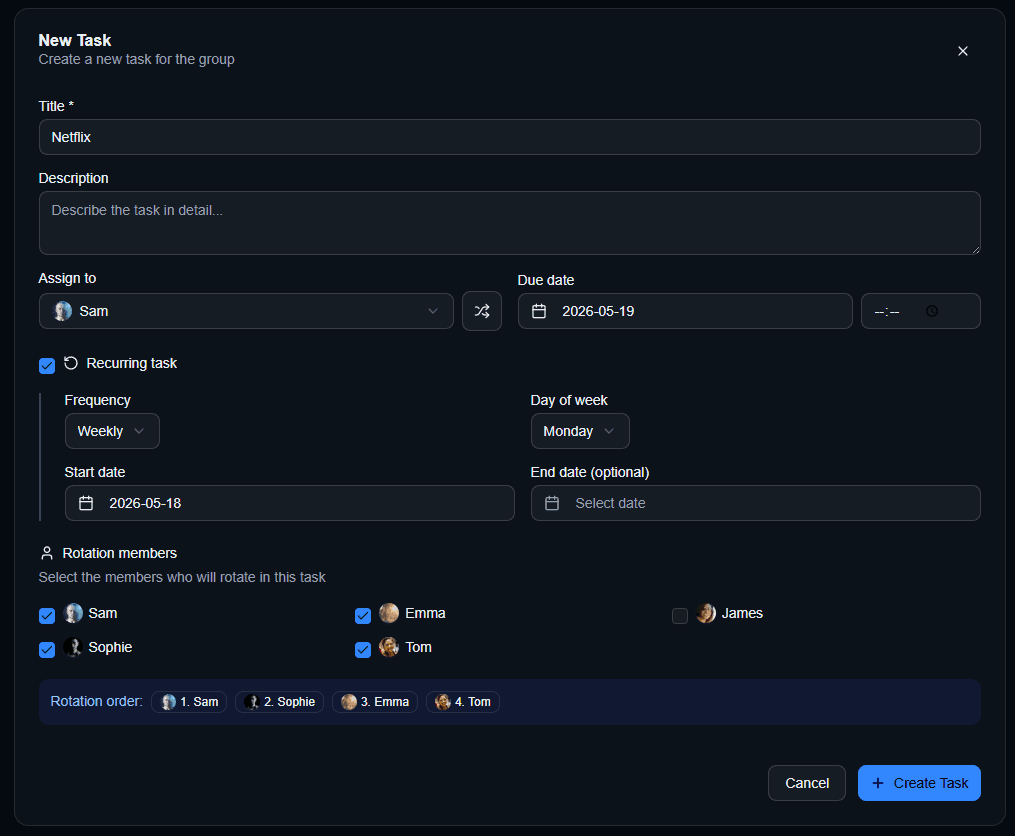
Recurring chores rotate automatically between members. This week you clean the kitchen, next week it's someone else — Groupio handles the rotation, the schedule and the reminders.
No more “whose turn was it?”. Just an honest, transparent system that everyone trusts.
A timeline for everyone.
An integrated calendar puts every recurring schedule, chore and shared event in a single view. Visibility for everyone in the group — no surprises.
Sync straight to the calendars you already use. One click and tasks land on your phone, your laptop, your watch.

Tasks that talk back.
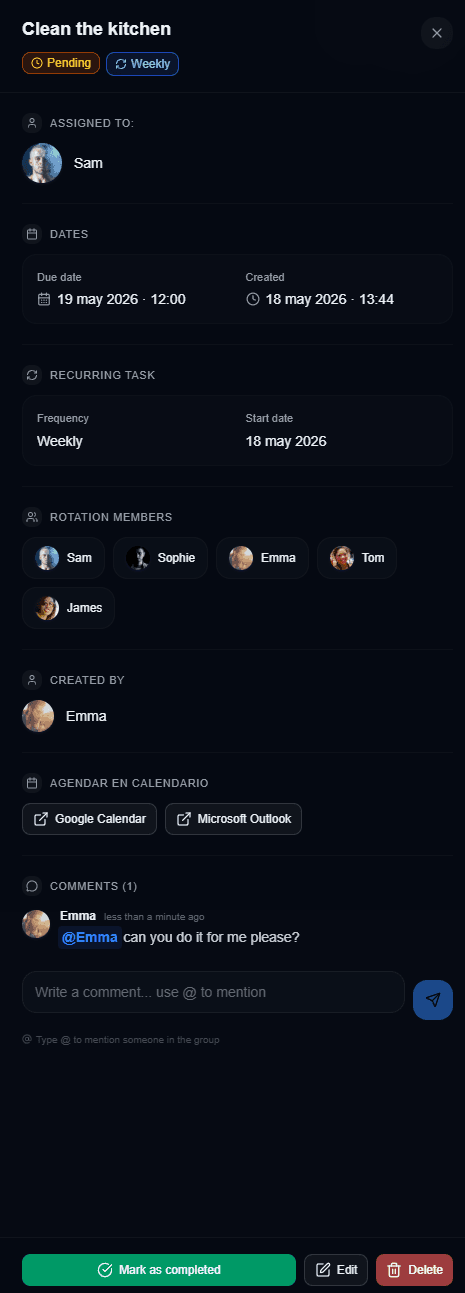
Every task is a thread. Comment, mention housemates, decide together — no jumping between Groupio and a chat app.
Mention someone with @ and they get a push notification — one tap and they jump straight into the task.
Organize your shared life.
Groupio is a Progressive Web App. Install it on desktop, on your phone, on your tablet — it's fast, lightweight and always one tap away. Free to use, built for the way modern households actually work.
PWA · Installable
One-tap install on desktop and mobile. Works offline-first.
Free
Core features are free. Bring your own AI key if you want vision.
AI-powered
Receipt scanning, smart splits, intelligent automation.